FinalShell专业版激活工具
Warning: Undefined variable $output in /home/wwwroot/xiaoyuo.com/wp-content/themes/ripro-child/functions.php on line 68
本文共1003个字,预计阅读时间需要3分钟 发布时间: 2024-10-4 共4.99K人阅读
FinalShellFinalShell专业版FinalShell激活FinalShell破解版
FinalShell是一款国产的SSH工具。官方授权价格挺低的,有条件的建议考虑购买官方正版授权。
本文目录
相关链接
官网:http://www.hostbuf.com/
激活工具下载:OneDrive-2022-8-11-FinalShell激活工具.zip
FinalShell安装包备份:v3.9.5.4,官方2022.6.3发布。
Windows:OneDrive-2022-8-11-finalshell_install_v3.9.5.4.exe
macOS:OneDrive-2022-8-11-finalshell_install_v3.9.5.4.pkg
相关说明
mac版安装路径 /Applications/FinalShell.app/
配置文件路径 /Users/$USER/Library/FinalShell/
mac版卸载
删除安装目录 /Applications/FinalShell.app/
机器码获取
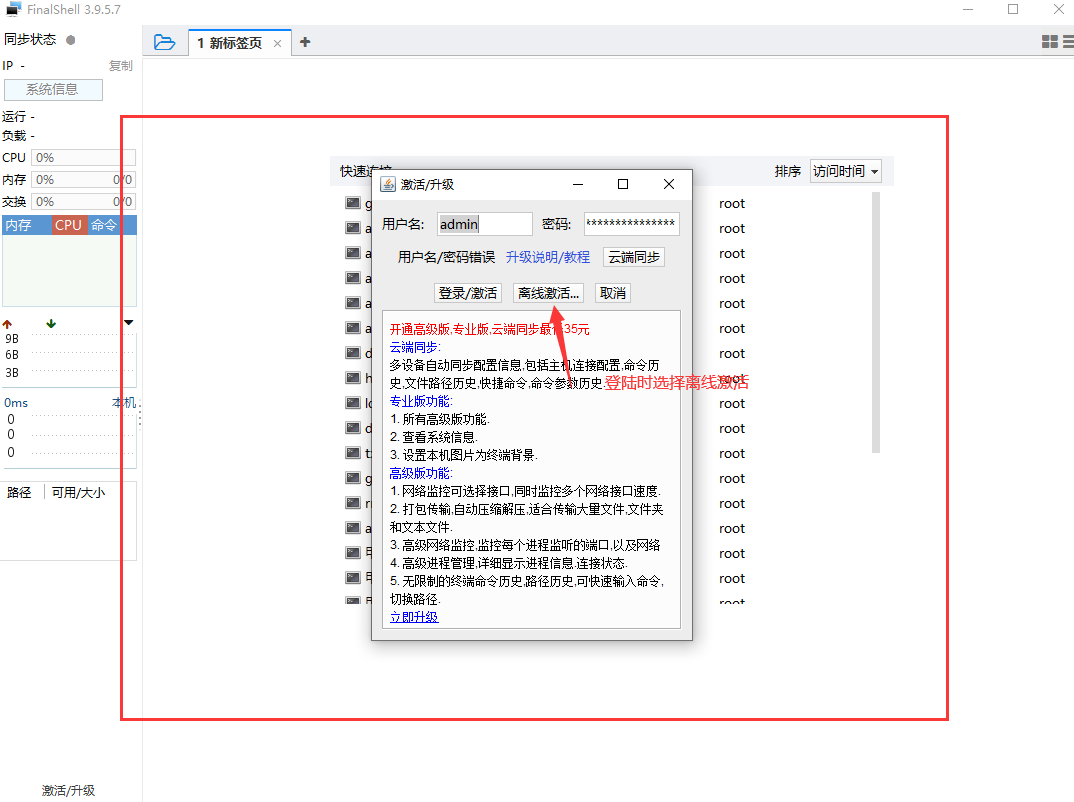
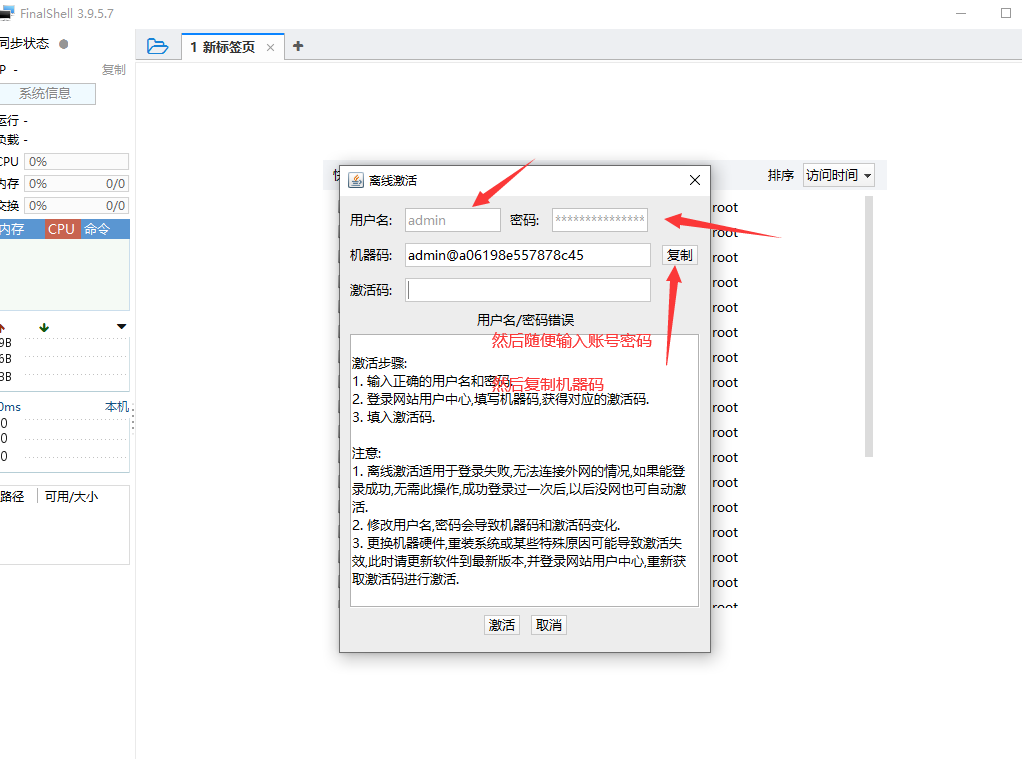
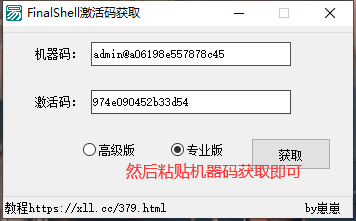
随便输入账号密码,然后知识兔选择离线激活即可获得机器码。
防止二次打开提示激活
修改本机hosts文件,将下面地址指向127.0.0.1
127.0.0.1 www.youtusoft.com127.0.0.1 youtusoft.com127.0.0.1 hostbuf.com127.0.0.1 www.hostbuf.com127.0.0.1 dkys.org127.0.0.1 tcpspeed.com127.0.0.1 www.wn1998.com127.0.0.1 wn1998.com127.0.0.1 pwlt.wn1998.com127.0.0.1 backup.www.hostbuf.com
然后知识兔使用cmd或者Windows终端执行以下命令查看hosts是否生效
ping dkys.org
返回地址127.0.0.1即可。
相关截图
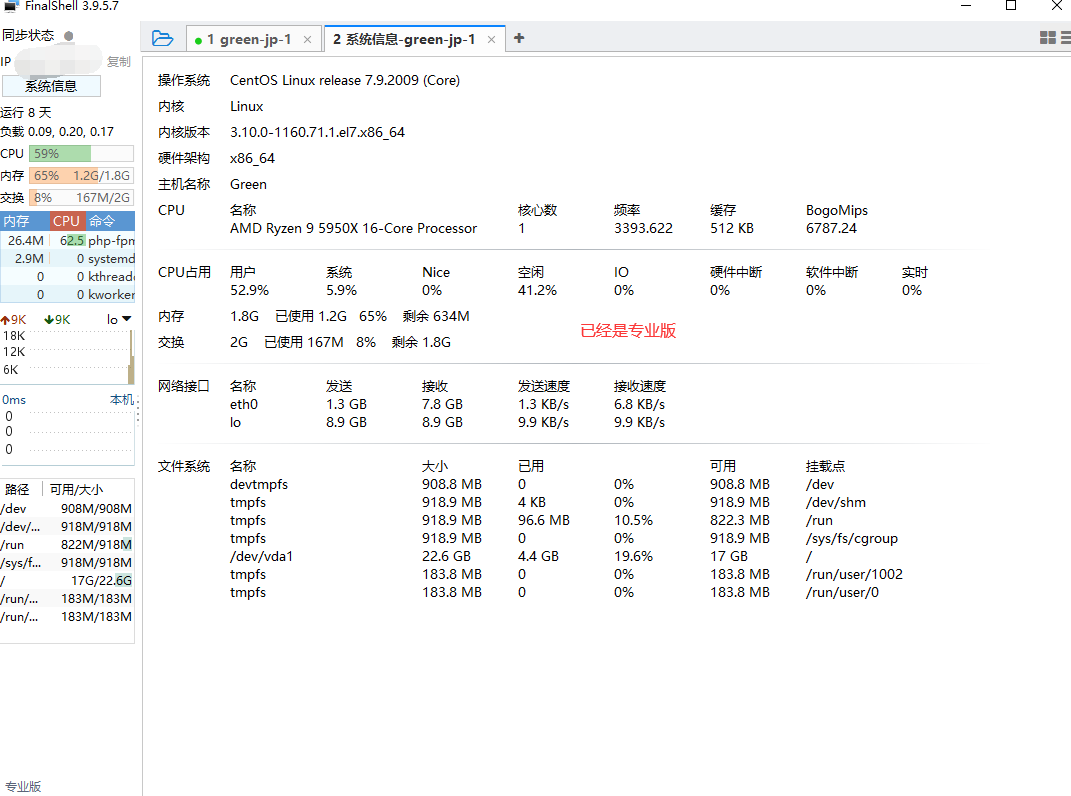
破解来自:https://xll.cc/379.html
下载仅供下载体验和测试学习,不得商用和正当使用。
常见问题FAQ
Warning: foreach() argument must be of type array|object, string given in /home/wwwroot/xiaoyuo.com/wp-content/themes/ripro-child/parts/author-box.php on line 12